Click me I'm a button
Purpose
text
When to use
Text
How to use
- Click Murdoch on the Drag widgets toolbox to the right of the screen.
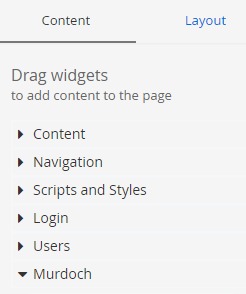
- Locate the Button widget and drag it across to the section on the page where you want the button to appear
- Click Edit or Create Content to view options for the Button widget.
- Enter the button text under Button.
- Add an internal or external link to the banner
- For internal links, select the department from the Site dropdown.
Then, select the page to display in the list that appears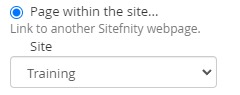
- For external links, enter the URL (e.g. https://google.com) of the destination page.
Tick Open in new window if you want to open the external URL in a new tab.
- For internal links, select the department from the Site dropdown.
- Select the colour of the button under Themes. See examples below
- Click Save to exit the Buttons options